
Your CRM runs the jobs. We run the operations.
The operating platform for service organizations.
Unify company knowledge, accountability, and daily execution. Company Console connects leadership, managers, and field teams through shared processes and visible performance.
Works alongside your CRM, with a ServiceTitan connection built in.
Organizational continuity
Preserve knowledge through growth and change.
Defined accountability
Connect roles, responsibilities, and standards.
Management visibility
See performance, commitments, and exceptions.
Every piece of a service company, linked.
The cost of disconnected operations
What leaves when your best manager does?
Procedures sit in a binder nobody opens. The numbers sit in a spreadsheet one person updates. Employee records are in a folder somewhere. And how the work really gets done lives in people’s heads.
So nobody can say for sure whether the standards are being followed or the commitments kept. And when someone leaves, what they knew leaves with them.
Company Console puts it in one place.
Roles, procedures, numbers and follow-through live in one system, so what your company knows stays with the company when people change.
From fragmented to connected
One view of the whole operation.
What used to live in four places, together.

The Company Console platform
See who owns the work,
and whether it got done.
Connect company standards with the people responsible for delivering them. Give leadership, managers, and field teams visibility into the work they own.
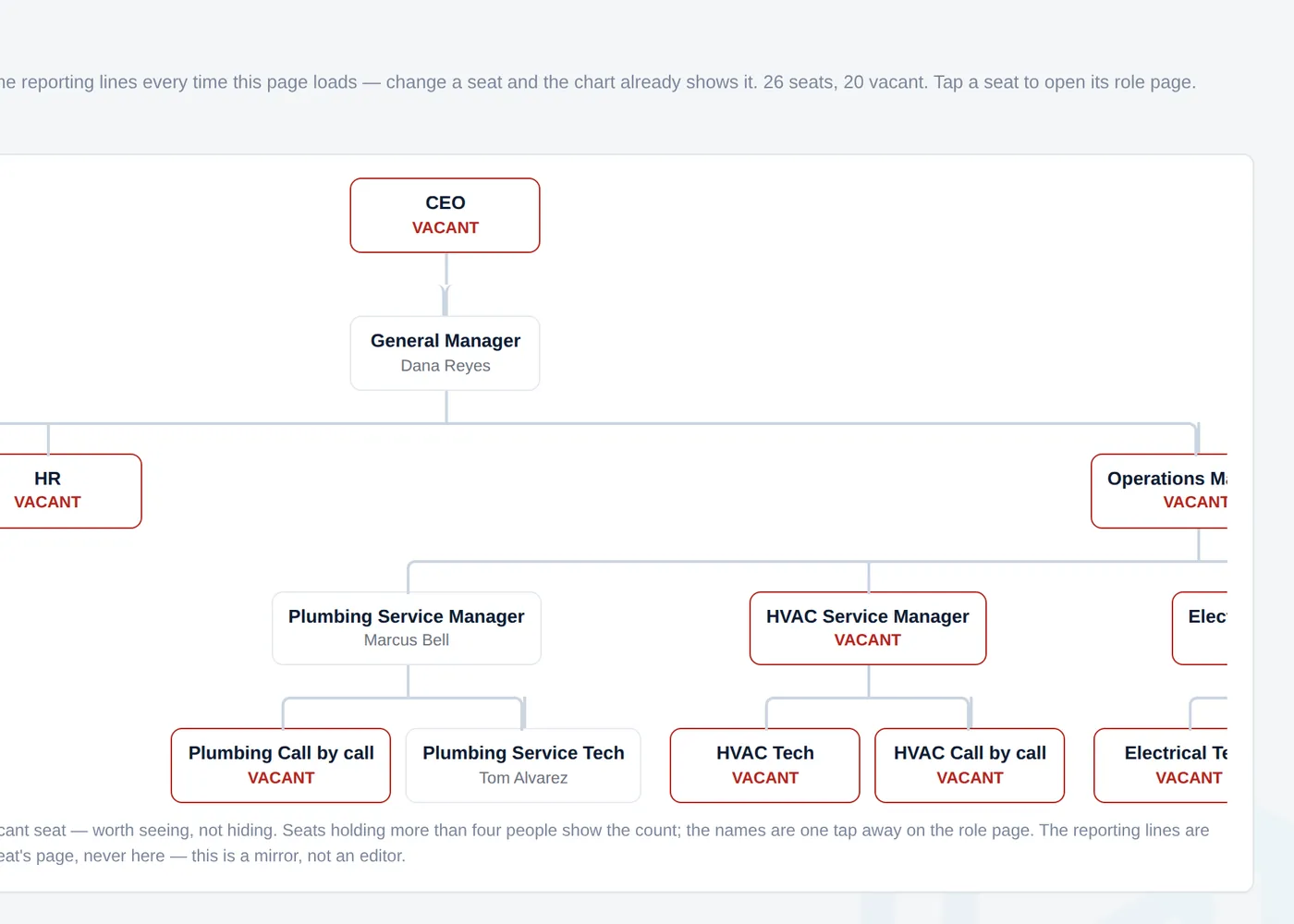
Give every role a clear place in the company.
Keep the responsibilities, procedures, and people behind your org chart together, with continuity as responsibilities change.
- 01Define what the role owns.Make the accountabilities clear and the gaps visible.
- 02Maintain operating standards.Give procedures an owner, a history, and a review routine.
- 03Capture and resolve process gaps.Record decisions and the procedures that need to change.
See the work that needs a manager's attention.
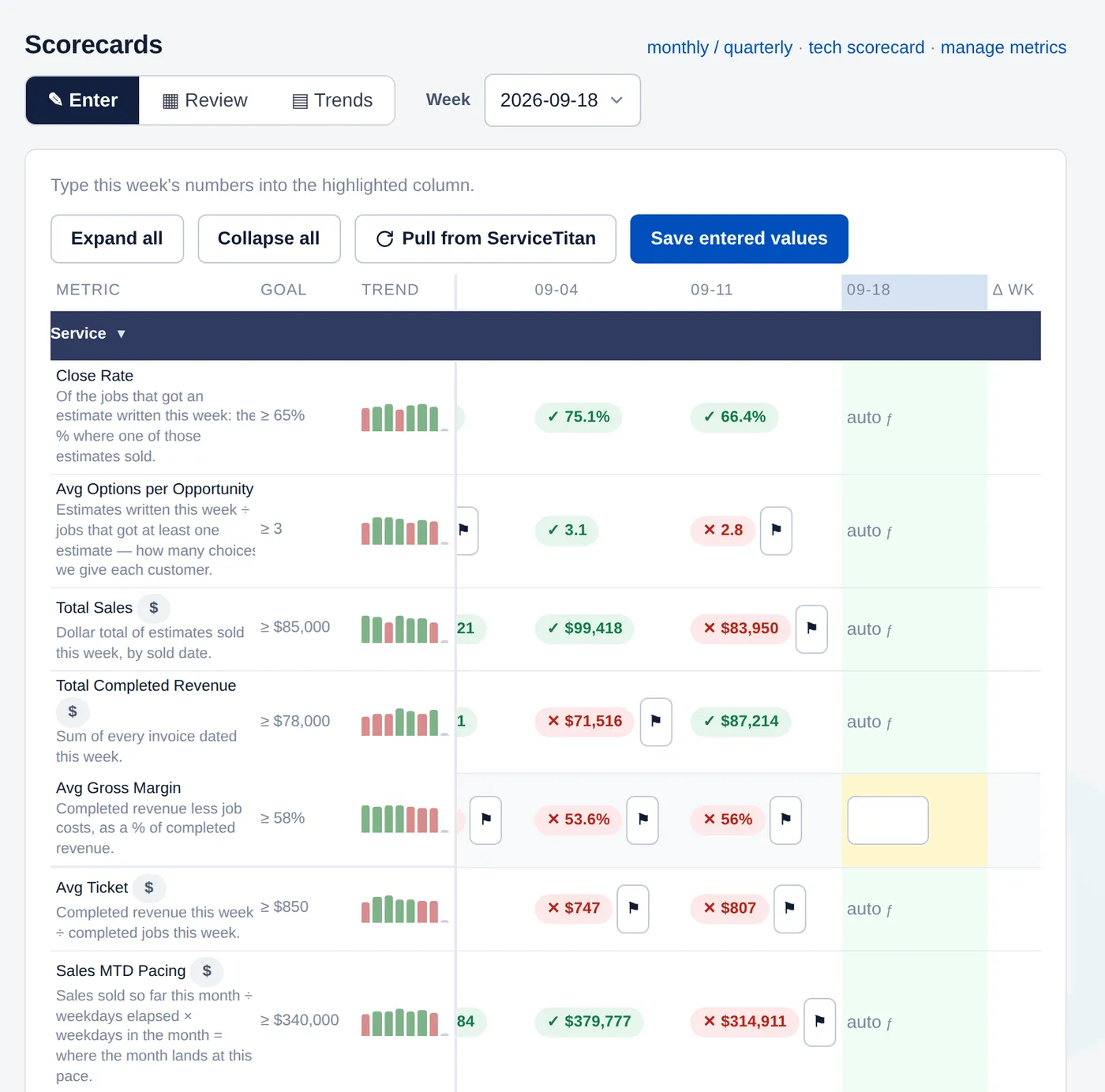
Bring your numbers, upcoming calls, and sold work into view. Use that visibility to decide what needs to happen next.
- 01Know where the numbers stand.Review owned metrics against goals, with supported data from ServiceTitan.
- 02Catch work waiting to move.See sold jobs that need scheduling and installations that are blocked.
- 03Give the week a clear direction.Keep issues, priorities, and action items together.
Connect field activity with management.
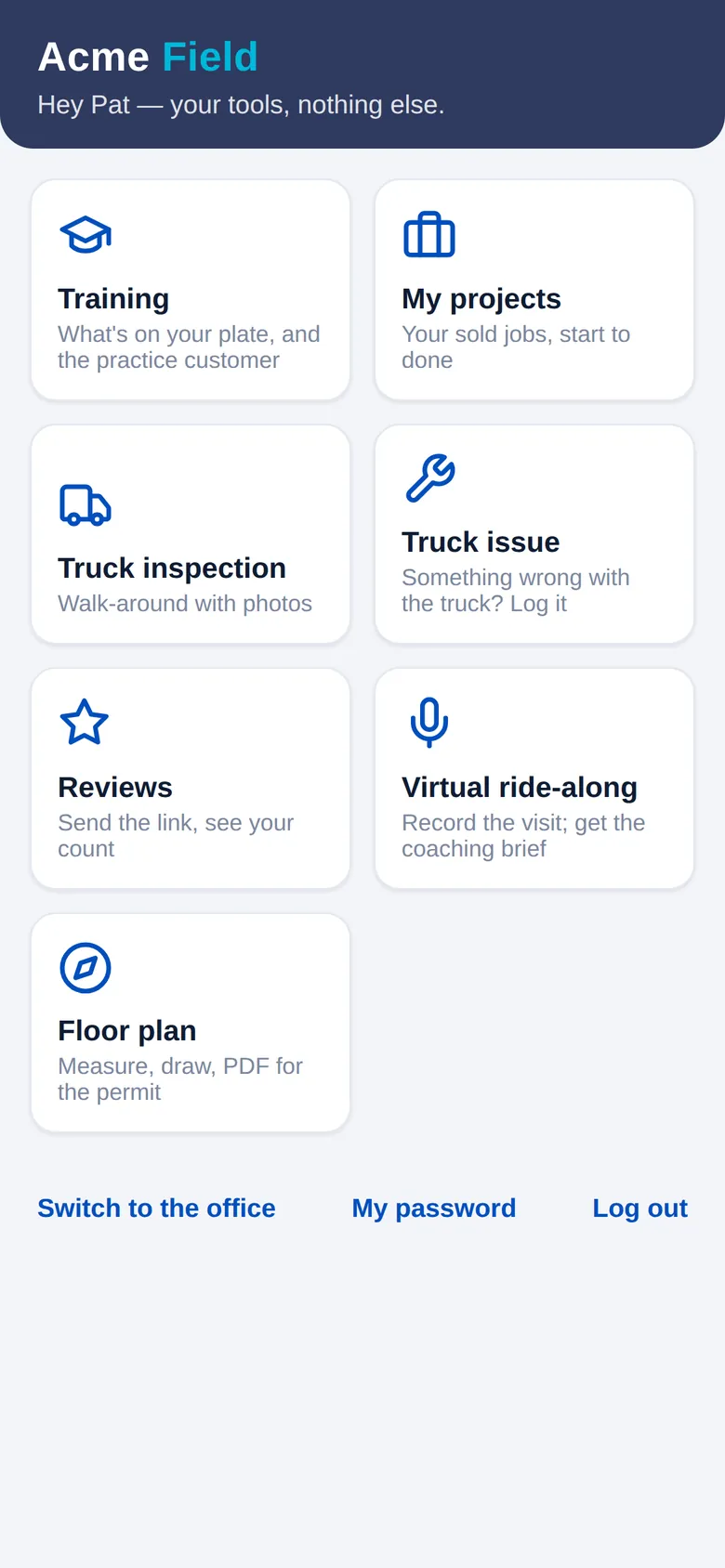
Put useful tools on the technician's phone and give managers a record they can use to support the team.
- 01Practice between training sessions.Assign customer conversations and review completed practice.
- 02See what happened to sold work.Let technicians check the progress of their projects.
- 03Report it while you're there.Truck inspections, maintenance issues, and review requests from the phone.
The conversation starts with what happened, with a record to come back to.
What’s inside
Every tool, and what it does.
Start with the pieces you need and switch on the rest later.
Training & coaching
- AI practice callsTechs and CSRs practice with an AI customer who pushes back, then get graded on how they handled it or how closely they followed your sales script. Managers assign it and see who has done it.
- Virtual ride-alongsThe tech records the visit on their phone. You get what the customer actually said, with coaching on the objections they raised.
- One-on-onesEvery manager’s one-on-ones on a schedule, with notes kept and anything missed brought to the next one.
Scorecards & the weekly meeting
- Company scorecardEvery department’s weekly numbers against goal, with ServiceTitan figures filled in for you.
- Daily boardEach tech’s calls, sales and revenue by day, against the month’s budget.
- Tech scorecardYour techs ranked every week on close rate, sales, job check-ins and truck condition.
- The weekly meetingRun it one section at a time, with a timer on each: the numbers, priorities, issues and action items.
- Quarterly prioritiesEach quarter’s priorities with their milestones, checked in the weekly meeting.
Roles & procedures
- Org chartEvery seat, who fills it, who they report to, and which seats are empty.
- ProceduresWritten procedures with an owner, a version history and a review schedule.
- Daily checksA daily checklist for each role. A missed one goes into that person’s next one-on-one.
People
- RecruitingEvery applicant from first contact to hire, with openings by position.
- Attendance & time offTime-off requests from the phone, lates and no-shows logged, and your attendance policy counted for you.
- Write-upsYour discipline steps, set up the way you run them, with every write-up on record.
- People reviewsRate each person on the traits their seat calls for.
Sold work & the office
- Install boardEvery sold job from sale to install, with the month’s revenue projected against goal for each trade.
- PermitsEach permit from plan review to final inspection, with the days from sale to permit tracked.
- 3-day call boardBooked calls for the next three days in each trade, against the number you need.
- Purchase ordersTurns your supplier’s invoice export into ServiceTitan purchase orders and QuickBooks bills.
- Batching checkA checklist for each invoice before it’s batched, with accuracy tracked on the scorecard.
Trucks & the field
- Truck inspectionsTechs photograph their truck from the phone, and the office grades it.
- Truck issues & maintenanceTechs report a problem from the phone and the office tracks it until it’s fixed, with service due by mileage.
- Floor plansDraw the rooms and the plumbing, gas, HVAC or electrical work on the phone, and save a PDF for the permit.
- PricingCheck a price against your target margin before you quote it.
- Google reviewsTechs ask for reviews from the phone. Every Google review lands in one place, credited to the tech who earned it.
Connected to ServiceTitan
Put your operating data
to work for your managers.
Company Console works alongside ServiceTitan, connecting supported job and performance data with your company's management routines.
Configuration & adoption
Configured around
your operating standards.
Define the roles, procedures, metrics, and permissions that reflect how your organization operates.
Can we use our own procedures and scorecards?
Yes. Use your company's roles, wording, checks, and metrics. Optional starter content gives you a place to begin, and your team makes it yours.
Does this replace ServiceTitan?
Company Console works alongside ServiceTitan. ServiceTitan continues to handle its job workflows, while Company Console brings together the responsibilities, routines, and management work around them.
Do we have to roll out everything at once?
You can start with selected modules and introduce more over time. The walkthrough helps identify a useful starting point for your team.
Explore the platform
See Company Console
in operation.
Explore how Company Console can support your operating standards, management workflows, and field teams.
Step 2 of 2 · Pick a time
Thanks. Now pick a time for your 45-minute demo on Google Meet.
Calendar not showing? Open it in a new tab.