
Your CRM runs the jobs. We run the company.
The management layer above your CRM: the org chart with real accountabilities, procedures with history, daily checks, scorecards, the weekly meeting and the boards your office runs on — in one place.
Your own deployment, your own database. Nothing shared with anyone else.
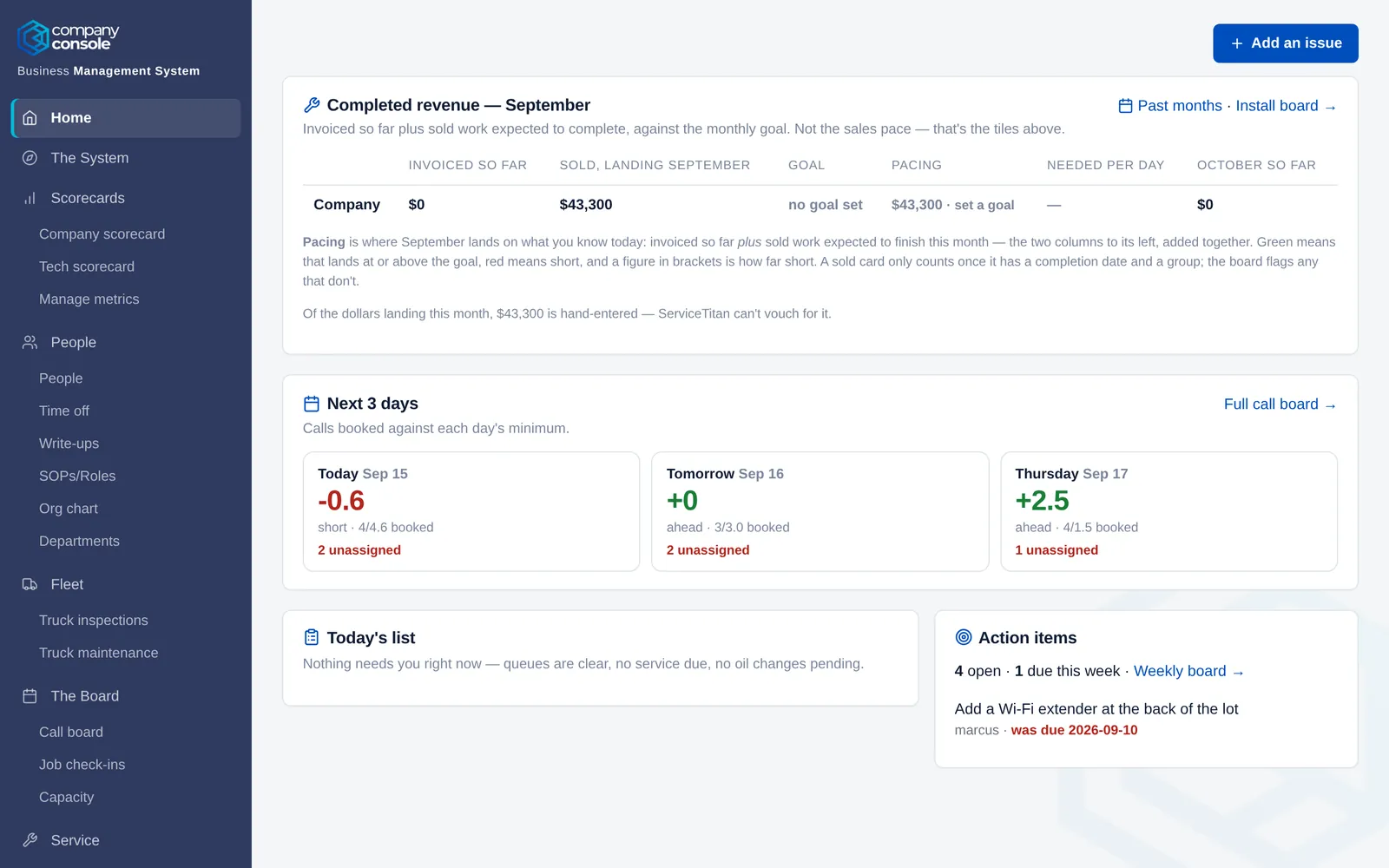
Built for how a service company actually runs
Real screens from a demo company. Every number, seat and check below is the kind your office keeps today — in spreadsheets, on whiteboards, in someone's head.
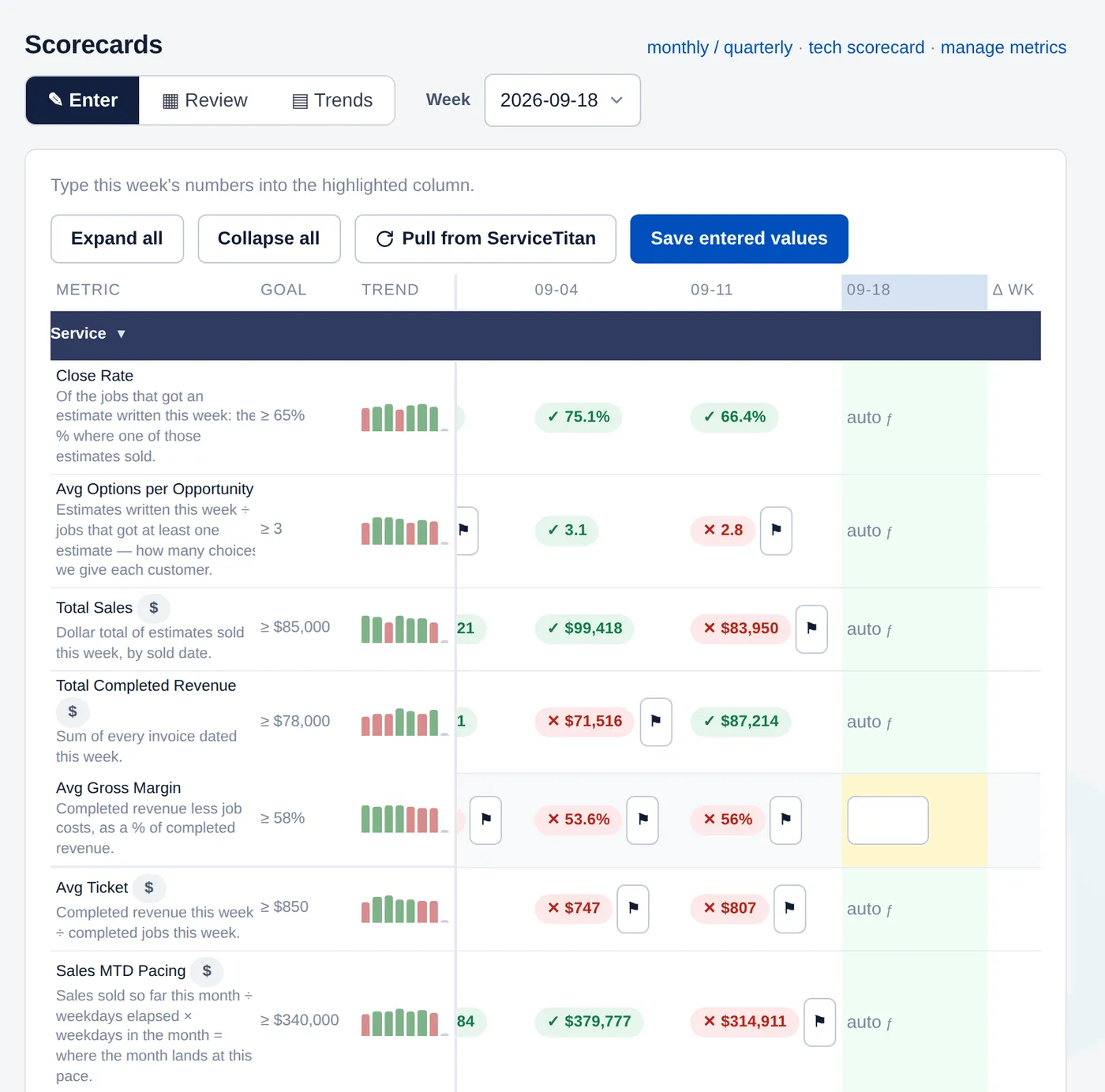
Numbers by seat, every week
The scorecard reads from your CRM where it can and asks for the rest. Every metric has an owner, a goal and a trend; a red week shows up before the meeting, not after.
- Company, department and tech scorecards
- Goals per row, twelve weeks on screen
- Pulled from ServiceTitan or typed in
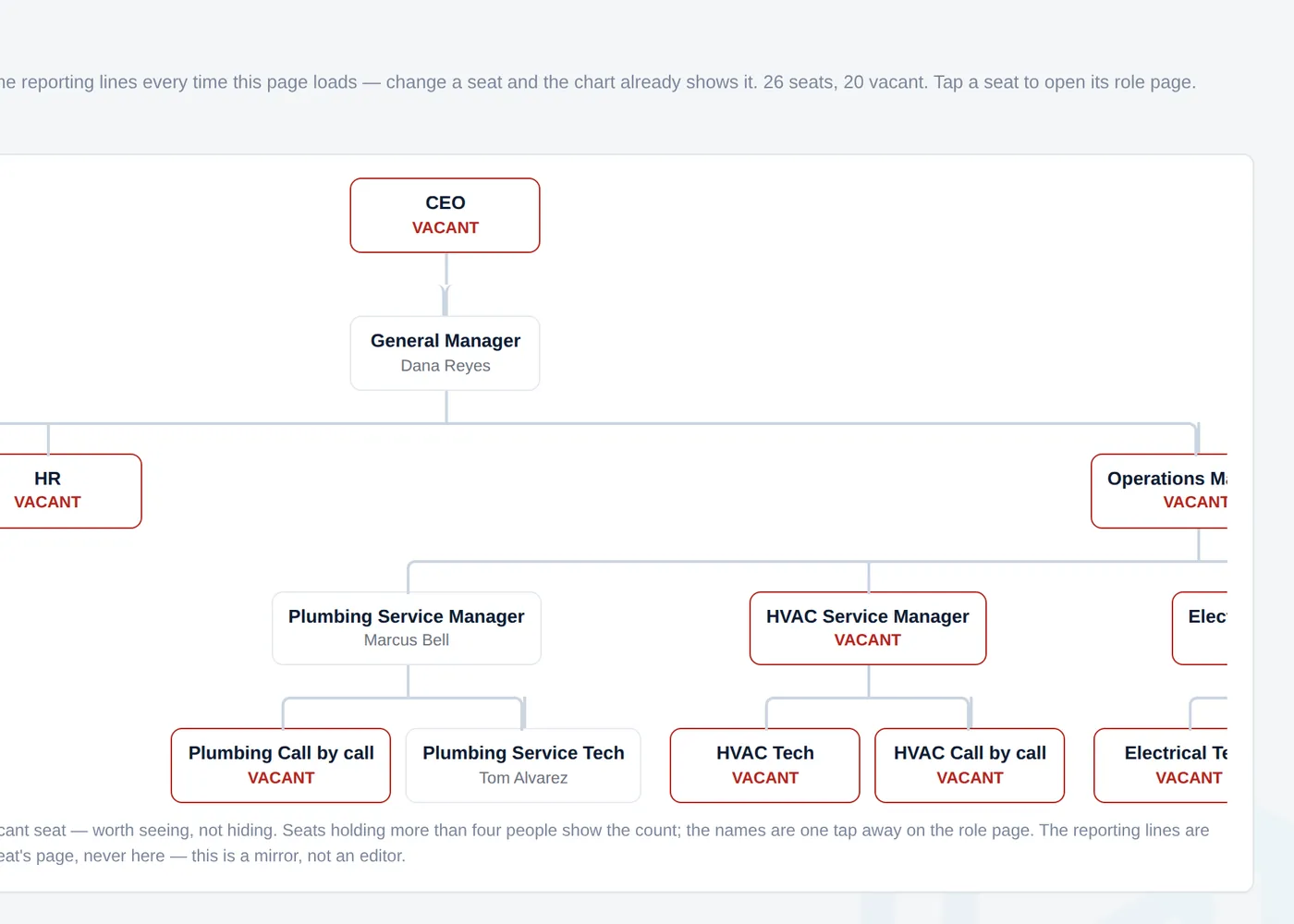
Every seat, who's in it, and what it owns
The org chart is drawn from the seats and their reporting lines, so it is never out of date. A vacant seat is red — worth seeing, not hiding. Each seat carries its accountabilities and procedures.
- Roles & gaps at a glance
- Procedures with version history
- Daily checks cross-checked against the procedures
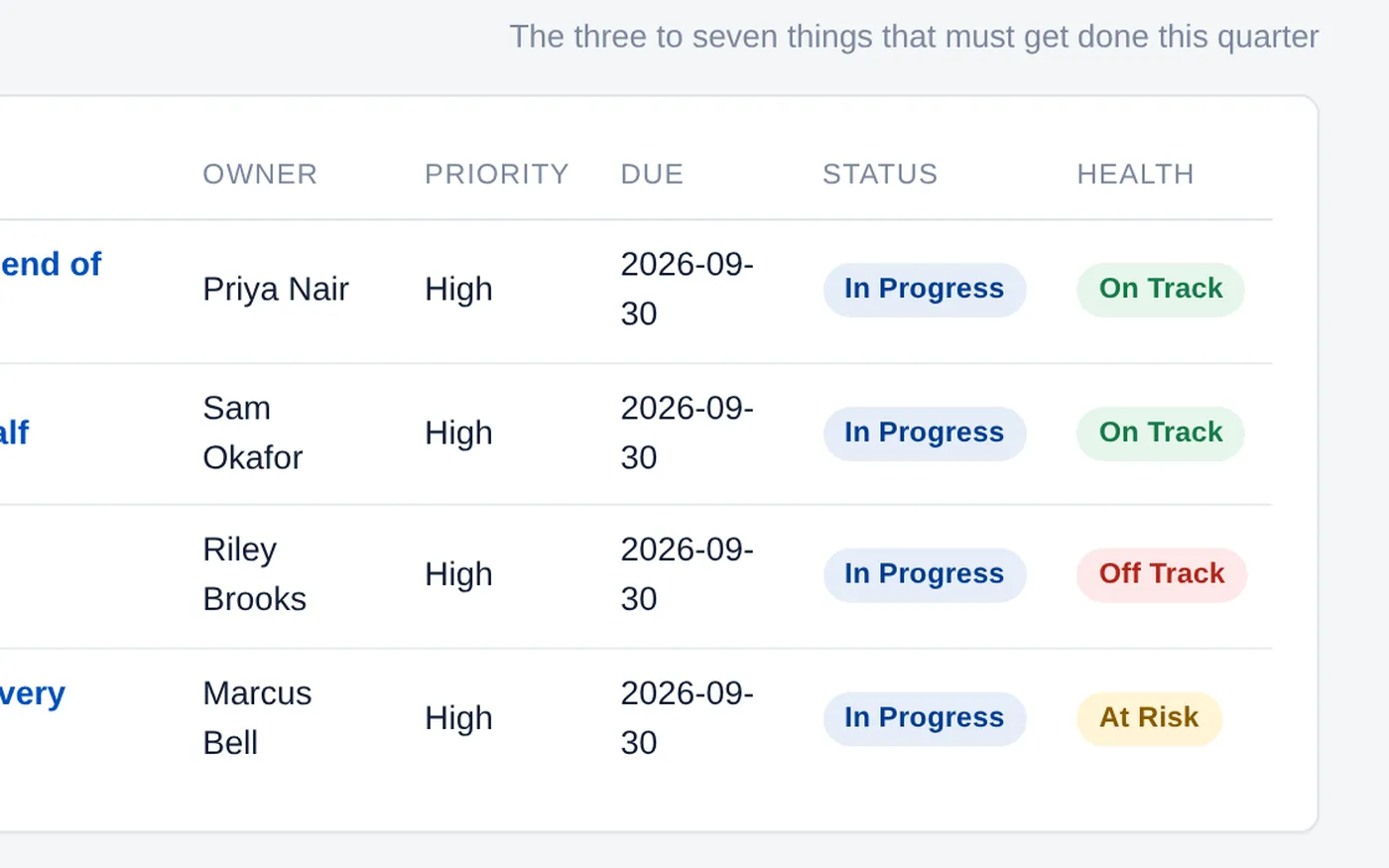
The meeting that runs itself
Quarterly priorities with an owner and a health flag. The Weekly runs one section at a time — scorecard, priorities, headlines, action items, solve — with the clock on screen. Issues turn into action items with one press.
- The Weekly, timed section by section
- Issues → solved → action items
- People Review by seat
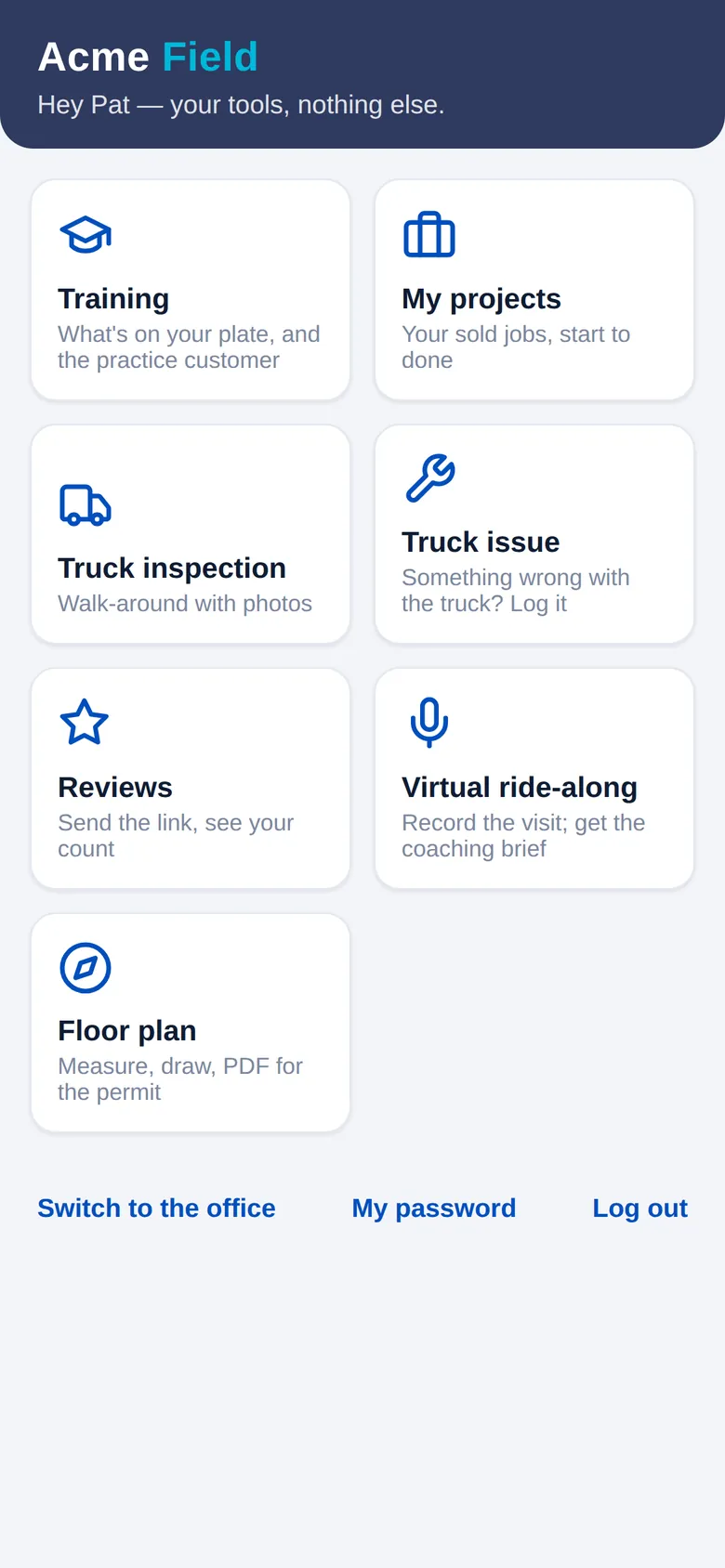
The tech gets one screen
Through the field door a tech sees his tools and nothing else: today's practice, his projects, the truck walk-around, a review link with his own QR, the ride-along recorder, a floor plan he measures on the spot. Office and field never mix.
- A practice customer he can call live — she pushes back like a homeowner and grades the answer
- Truck inspections and issues from the truck
- Reviews, ride-alongs and floor plans on the phone
Everything the office runs on, as modules you switch on
Start with what you need; add the rest when you're ready. Each one is a switch, not a project.
Home-services companies that have outgrown the whiteboard
Up and running in a couple of hours
Connect your CRM
ServiceTitan or Housecall Pro. Your admin pastes the credentials; the app tests the connection and pulls what it needs.
Choose a starting point
Start empty, or load the starter content — a seat structure, procedure drafts, daily checks and a training library — then make it yours.
Shape it to how you run
Your names, your checks, your scorecard rows, which modules are on. Customization is a setting, not a rewrite.
Keep getting better
One release reaches every company. An improvement made once shows up for you, with your data untouched.
Priced by the size of your company
Three tiers, priced by how many people you run. Unlimited seats on every tier.
Ask us for the grid
A 20-minute demo on your own numbers is the fastest way to see whether this fits. No pitch deck.
Book a demoTell us about your company
What happens next:
- We come back to you within a business day to set a time.
- A 20-minute walk through the product on your own numbers.
- If it fits, your deployment is up in a couple of hours.