
Platform · Daily operations
See the work that needs a manager’s attention.
Sold work, permits and upcoming calls in view for the office, and the tools technicians use on the phone while they’re on the job.
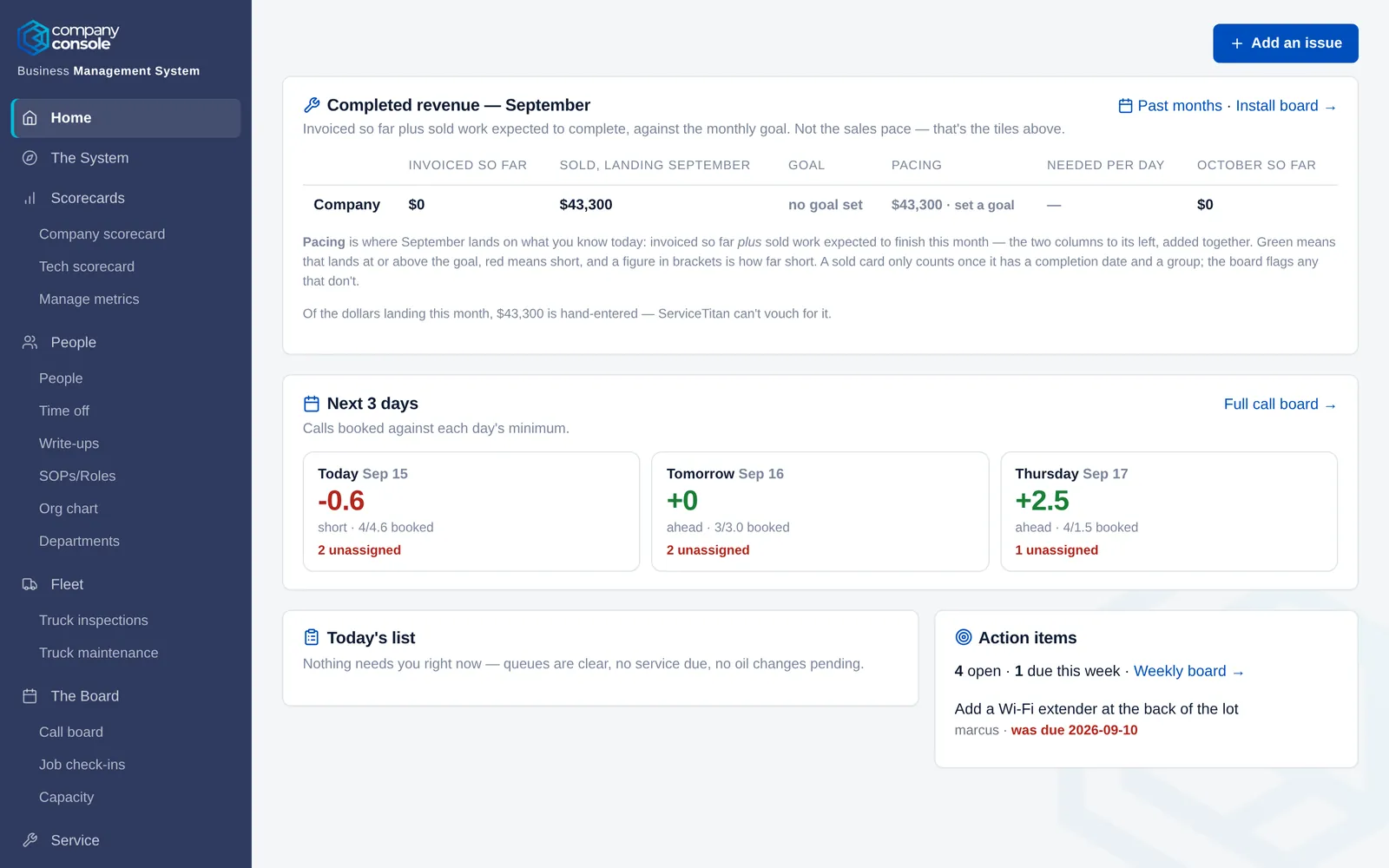
Catch work before it stalls.
Bring your numbers, upcoming calls, and sold work into view. Use that visibility to decide what needs to happen next.
- 01Catch work waiting to move.See sold jobs that need scheduling and installations that are blocked.
- 02Know the next three days.Booked calls for today and the next two working days in each trade, against the number you need.
- 03Follow every permit.Each permit from plan review to final inspection, with the days from sale to permit tracked.
Connect field activity with management.
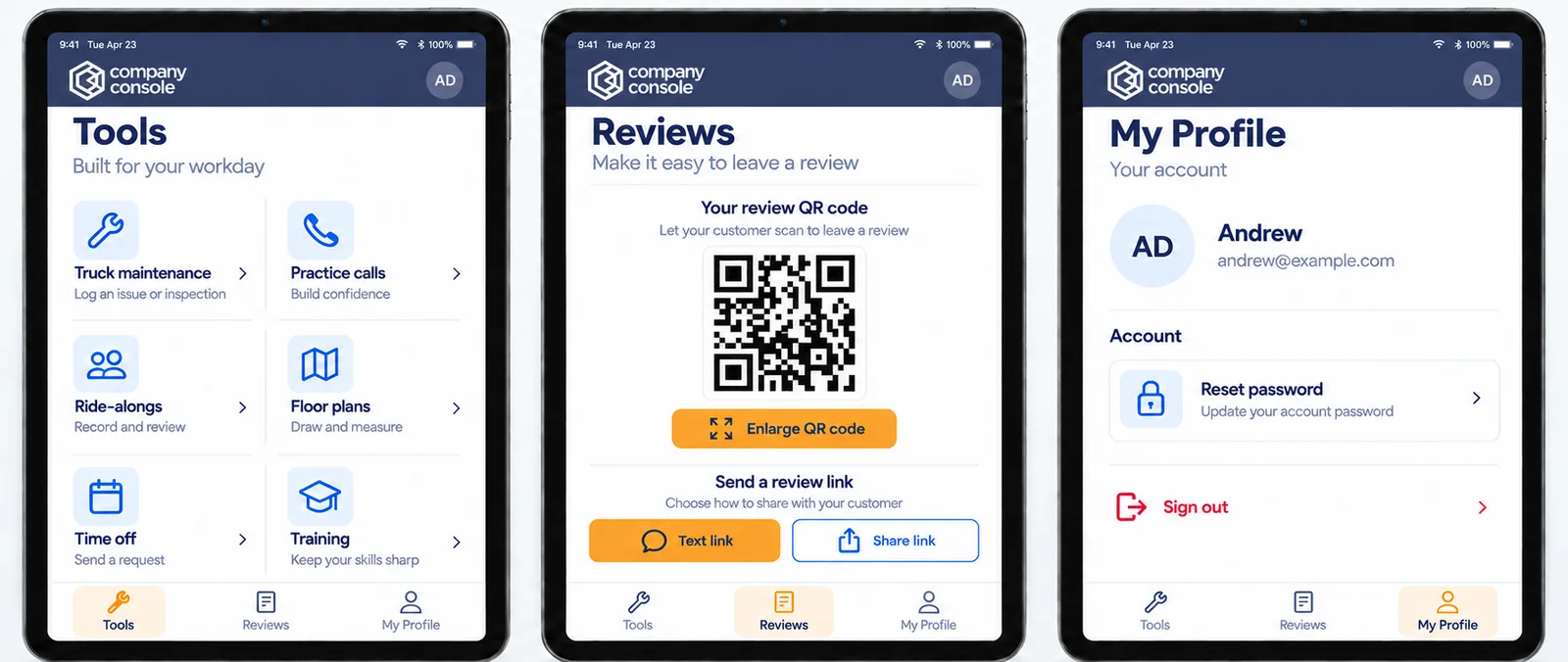
Put useful tools on the technician’s phone and give managers a record they can use to support the team.
- 01See what happened to sold work.Let technicians check the progress of their projects.
- 02Report it while you’re there.Truck inspections, maintenance issues, and review requests from the phone.
- 03Check the price before you quote.Check a price against your target margin before you quote it.
What’s inside
Every tool in daily operations.
Start with the pieces you need and switch on the rest later. .
Sold work & the office
- Install boardEvery sold job from sale to install, with the month’s revenue projected against goal for each trade.
- PermitsEach permit from plan review to final inspection, with the days from sale to permit tracked.
- 3-day call boardBooked calls for today and the next two working days in each trade, against the number you need.
- Purchase orders PlatformTurns your supplier’s invoice export into ServiceTitan purchase orders and QuickBooks bills.
- Batching checkA checklist for each invoice before it’s batched, with accuracy tracked on the scorecard.
Trucks & the field
- Truck inspections & maintenanceTechs photograph their truck from the phone and the office grades it. Problems are reported from the field and tracked until they’re fixed.
- Floor plansDraw the rooms and the plumbing, gas, HVAC or electrical work on the phone, and save a PDF for the permit.
- PricingCheck a price against your target margin before you quote it.
- Google reviews Standard & PlatformTechs ask for reviews from the phone. Every Google review lands in one place, credited to the tech who earned it.
The rest of the platform
Everything else it runs.
See Company Console in operation.
A platform walkthrough tailored to your organization.