
Run the weekly meeting on time.
The scorecard, the quarter’s priorities, the issues and the action items, one section at a time with a timer on each. The numbers are already in when you sit down.
What it replaces
Weekly meeting and EOS software
What a 15-technician shop typically pays for it, at $14 per user. In Company Console it’s part of the plan.
Included on every plan
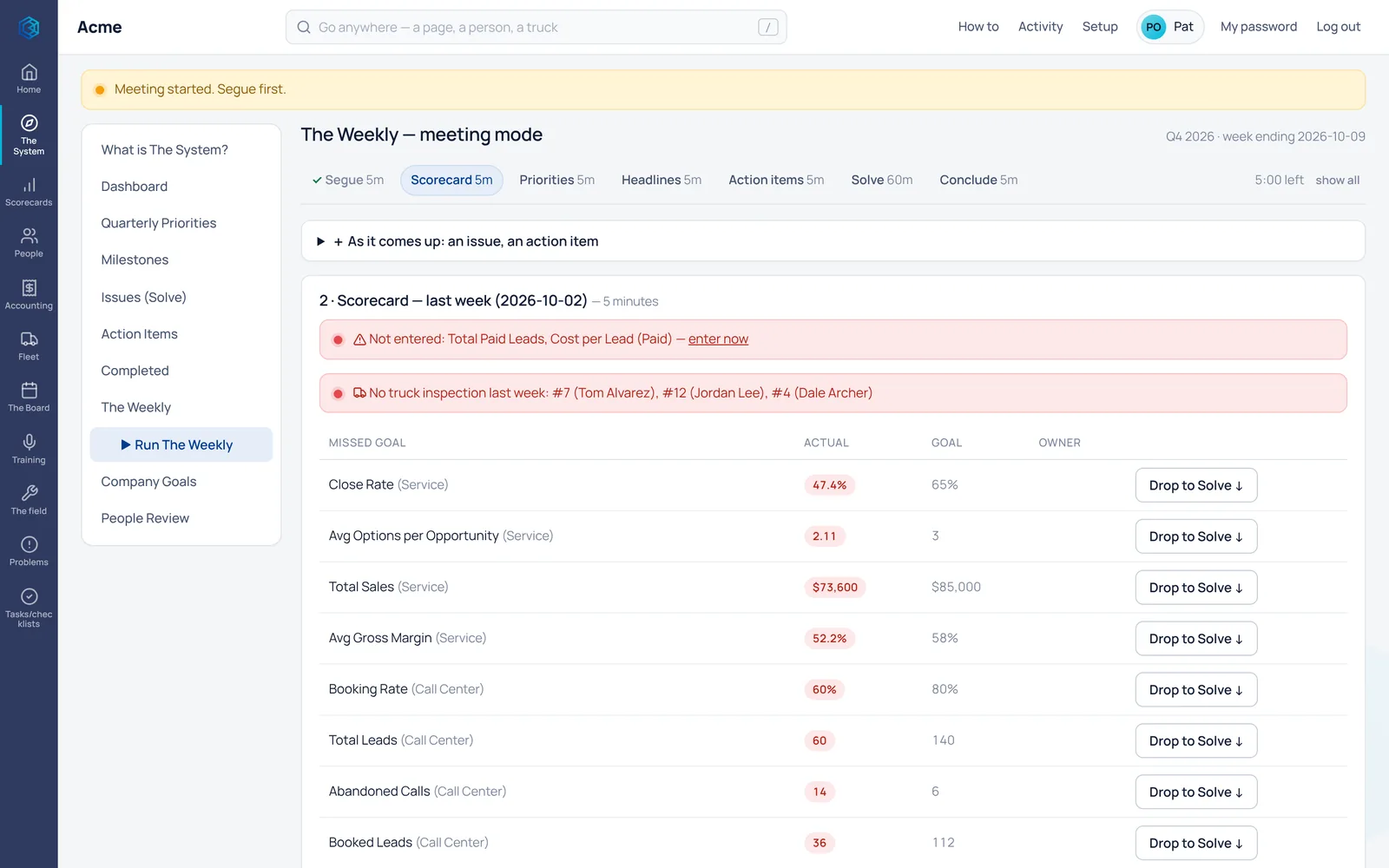
Seven steps, each on the clock.
Segue, scorecard, priorities, headlines, action items, solve and conclude. The meeting moves one step at a time, so solving gets the hour it needs.
- Every missed goal on the scorecard step, with the person who owns it.
- Add an issue or an action item the moment it comes up, without losing your place.
- Close the meeting with a rating, and next week starts fresh.
- Segue5 min
- Scorecard5 min
- Priorities5 min
- Headlines5 min
- Action items5 min
- Solve60 min
- Conclude5 min
One step at a time, with a timer on each.
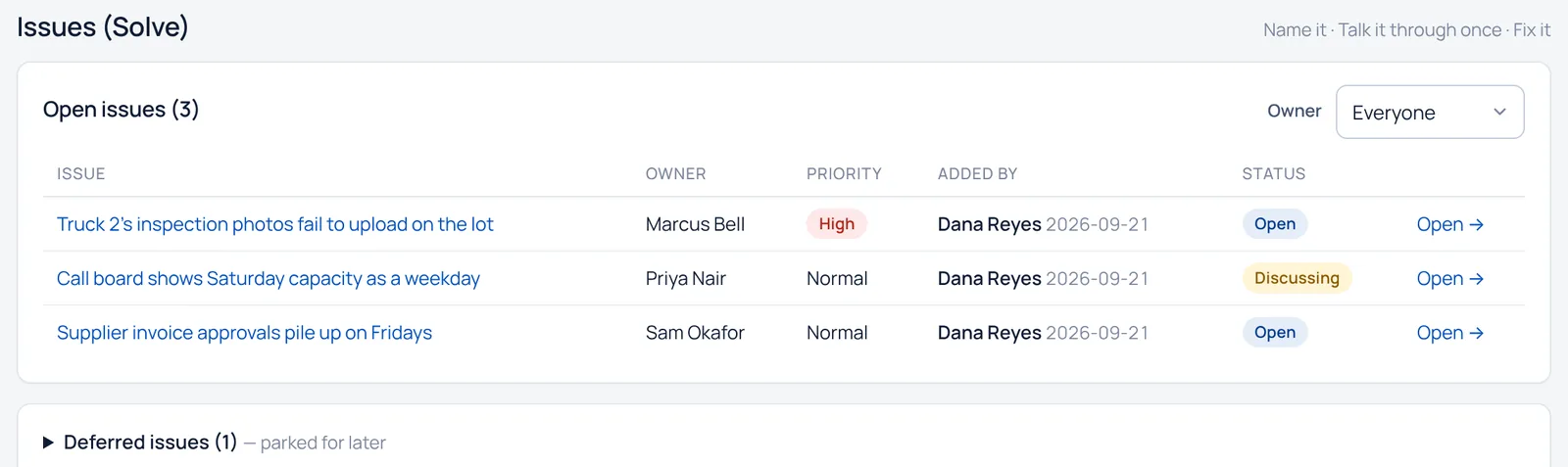
Solve the issues, don’t just list them.
Issues collect all week from anyone on the team. In the meeting you work them top to bottom, and an issue becomes an action item with an owner and a due date in one click.
- A missed number drops straight into Solve.
- Park an issue for later without losing it.
- Open action items come back every week until they’re done.
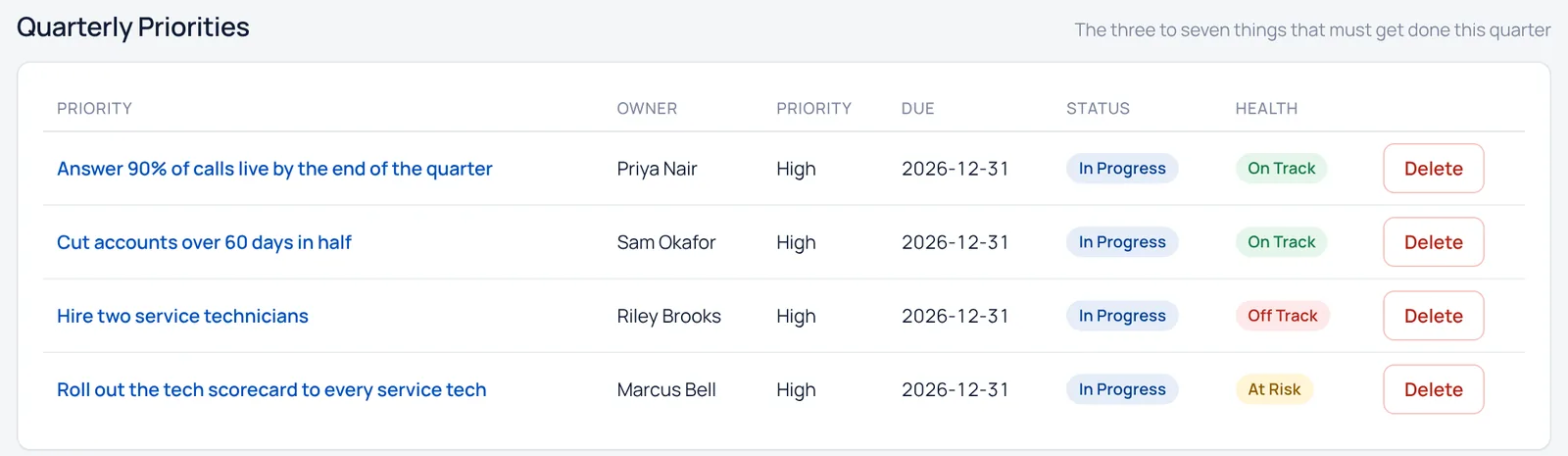
Keep the quarter’s priorities moving.
Three to seven priorities a quarter, each with an owner, a due date, milestones and a health check. You check them in the meeting every week.
- On track, off track or at risk, at a glance.
- Milestones checked off from the meeting itself.
- Company goals and the people review sit alongside.
Questions
The weekly meeting, answered.
Do we have to run EOS to use it?
No. If you run on EOS, the meeting will feel familiar. If you don’t, it’s a simple, proven agenda for a weekly leadership meeting, and you use as much of it as you like.
Where do the numbers come from?
Revenue, sales, close rate, average ticket, calls and more come straight from ServiceTitan. Anything ServiceTitan doesn’t track is typed in once a week, and the meeting flags anything nobody entered.
Does everyone need a login?
Office logins are included at no extra cost on every plan, so your whole leadership team can be in the meeting.
What happens to action items after the meeting?
They stay on the list with an owner and a due date, show up on that person’s home screen, and come back in next week’s meeting until they’re done.
Works with the rest
One login, one record, one bill.
The weekly meeting is part of performance, and works from the same people and numbers as everything else.
See it with your own numbers.
A walkthrough of Company Console, tailored to your company.